HOW DO I CHOOSE, SHARE OR DOWNLOAD MY IMAGES?
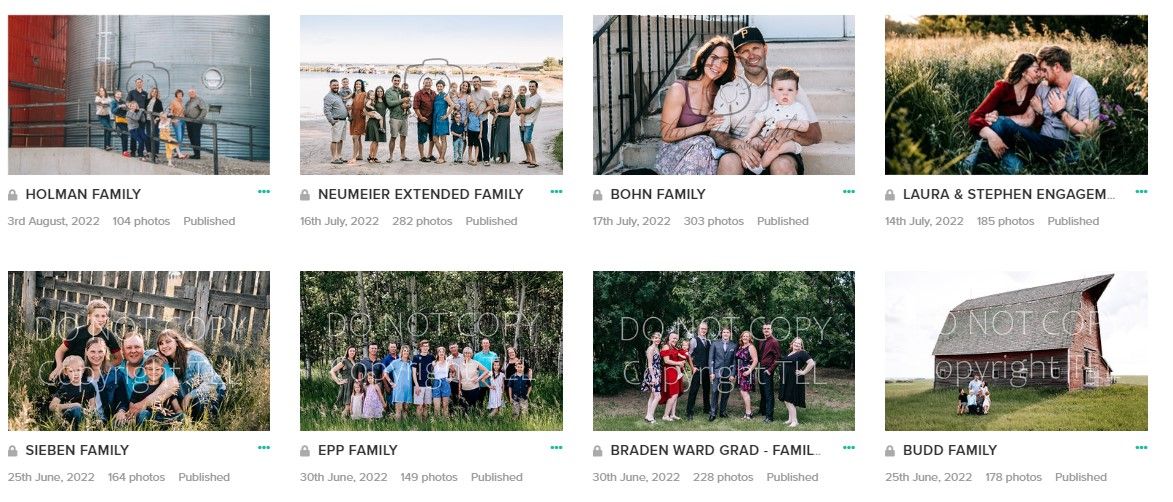
Pixieset galleries is a website we use to deliver your beautiful client gallery to you. From your gallery link you can download, share and order prints – all from one place!
This short guide will show you how to select your favourite images, share them and download them from Pixieset.
CREATING MY FAVOURITES LIST
After your photo session you will receive an email with a link and personalized password to access your Pixieset gallery (at the bottom of the email). (I aim to get your gallery link to you approximately 3 weeks after your session).
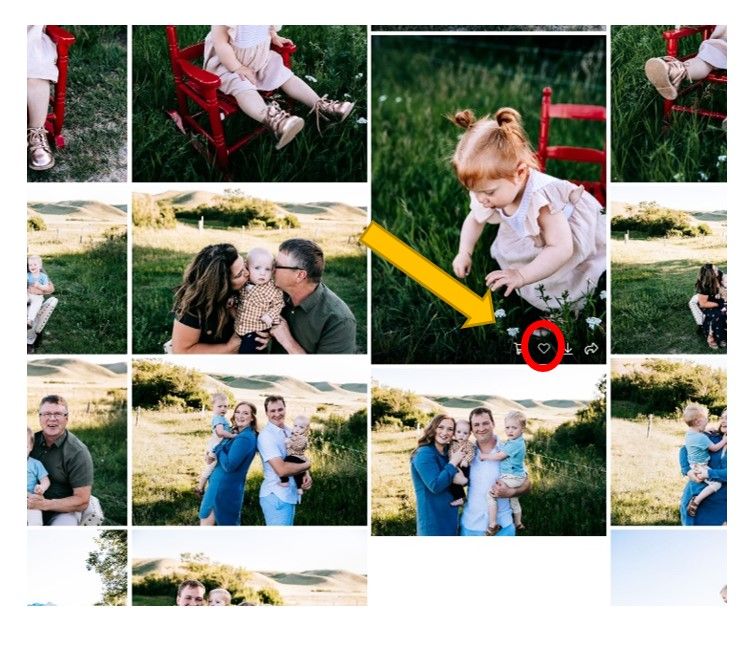
While you are viewing your gallery you want to create your Favourites list by clicking on the “heart” icon in the bottom right of each image.
Enter your email address in the form that pops up when you click on the first image you want to favourite.
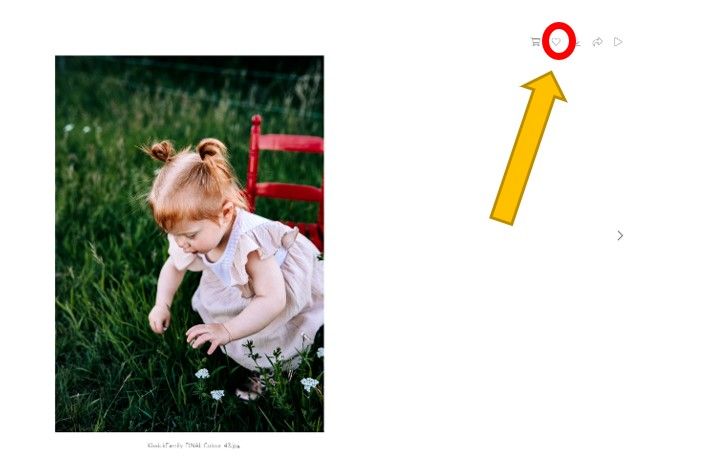
You can also click on a single image to view it in full screen mode. The heart icon shows up in the top right corner of your screen.
You will see the picture file name under the photo.
Navigate to your compiled Favourite list by clicking on the Heart icon at the top right corner of the Gallery, and entering the email address linked to your Favorites. (shown below)

When you are done choosing your favourites, you can share your list with me by clicking on the little paper airplane icon in the top right corner. (shown below)

I will then do the final edits on the pictures you have chosen. This generally takes about 1 ½ - 2 weeks.
You will receive an email with a personalized 4-digit PIN number to be able to download your photos.
MORE INSTRUCTIONS ON HOW TO DOWNLOAD YOUR PHOTOS WILL BE SENT AT THAT TIME!
Please email me at thislittlelightpics@gmail.com or phone 306-372-7401 if you have any questions.